


Permitting & Compliance
Inspections and Plan Reviews
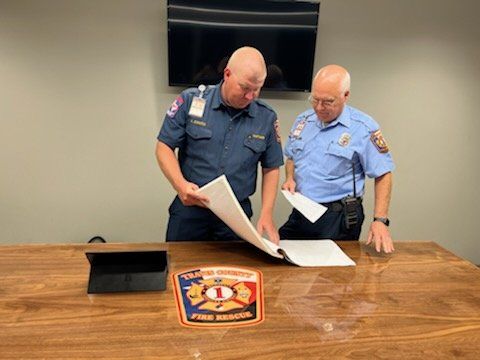
The Inspections and Prevention Division is responsible for the compliance of Fire Codes within the District. To accomplish this, we follow the Fire Codes adopted by the municipalities within our district or Travis County in accordance with the International Fire Code.
Our duties include:
- Code compliance to ensure safety
- Business building inspections
- Apartment building inspections
- Foster home inspections
- Collaborating with responsible parties to resolve code violations
Permits and inspection:
Unable to load document. Please try again.
Receive 30 minutes of complimentary live visual assistance through Aira to help you navigate and read this document with ease.
Getting Started
📱 Connect via Phone or Mobile App
- Launch the Aira app on your device, or dial 1.800.835.1934 to reach an agent
- When asked for an access code, say "ClickDocs"
- Provide your document reference number to the agent: 247–290
- Your agent can pull up the document at clickdocs.net/view
🖥 Connect via Web Browser
Open a live session directly in your browser:
Once connected, share the access code "ClickDocs" and the document reference number shown above with your agent.
Need assistance? Visit the ClickDocs Accessibility Help Page for guidance and support.
Unable to render PDF preview.
Open PDF directlyUnable to load document. Please try again.
Receive 30 minutes of complimentary live visual assistance through Aira to help you navigate and read this document with ease.
Getting Started
📱 Connect via Phone or Mobile App
- Launch the Aira app on your device, or dial 1.800.835.1934 to reach an agent
- When asked for an access code, say "ClickDocs"
- Provide your document reference number to the agent: 247–290
- Your agent can pull up the document at clickdocs.net/view
🖥 Connect via Web Browser
Open a live session directly in your browser:
Once connected, share the access code "ClickDocs" and the document reference number shown above with your agent.
Need assistance? Visit the ClickDocs Accessibility Help Page for guidance and support.
Unable to render PDF preview.
Open PDF directlyUnable to load document. Please try again.
Receive 30 minutes of complimentary live visual assistance through Aira to help you navigate and read this document with ease.
Getting Started
📱 Connect via Phone or Mobile App
- Launch the Aira app on your device, or dial 1.800.835.1934 to reach an agent
- When asked for an access code, say "ClickDocs"
- Provide your document reference number to the agent: 247–290
- Your agent can pull up the document at clickdocs.net/view
🖥 Connect via Web Browser
Open a live session directly in your browser:
Once connected, share the access code "ClickDocs" and the document reference number shown above with your agent.
Need assistance? Visit the ClickDocs Accessibility Help Page for guidance and support.
Unable to render PDF preview.
Open PDF directlyUnable to load document. Please try again.
Receive 30 minutes of complimentary live visual assistance through Aira to help you navigate and read this document with ease.
Getting Started
📱 Connect via Phone or Mobile App
- Launch the Aira app on your device, or dial 1.800.835.1934 to reach an agent
- When asked for an access code, say "ClickDocs"
- Provide your document reference number to the agent: 247–290
- Your agent can pull up the document at clickdocs.net/view
🖥 Connect via Web Browser
Open a live session directly in your browser:
Once connected, share the access code "ClickDocs" and the document reference number shown above with your agent.
Need assistance? Visit the ClickDocs Accessibility Help Page for guidance and support.
Unable to render PDF preview.
Open PDF directlyUnable to load document. Please try again.
Receive 30 minutes of complimentary live visual assistance through Aira to help you navigate and read this document with ease.
Getting Started
📱 Connect via Phone or Mobile App
- Launch the Aira app on your device, or dial 1.800.835.1934 to reach an agent
- When asked for an access code, say "ClickDocs"
- Provide your document reference number to the agent: 247–290
- Your agent can pull up the document at clickdocs.net/view
🖥 Connect via Web Browser
Open a live session directly in your browser:
Once connected, share the access code "ClickDocs" and the document reference number shown above with your agent.
Need assistance? Visit the ClickDocs Accessibility Help Page for guidance and support.
Unable to render PDF preview.
Open PDF directlyUnable to load document. Please try again.
Receive 30 minutes of complimentary live visual assistance through Aira to help you navigate and read this document with ease.
Getting Started
📱 Connect via Phone or Mobile App
- Launch the Aira app on your device, or dial 1.800.835.1934 to reach an agent
- When asked for an access code, say "ClickDocs"
- Provide your document reference number to the agent: 247–290
- Your agent can pull up the document at clickdocs.net/view
🖥 Connect via Web Browser
Open a live session directly in your browser:
Once connected, share the access code "ClickDocs" and the document reference number shown above with your agent.
Need assistance? Visit the ClickDocs Accessibility Help Page for guidance and support.
Unable to render PDF preview.
Open PDF directlyCommonly Requested Forms:
Unable to load document. Please try again.
Receive 30 minutes of complimentary live visual assistance through Aira to help you navigate and read this document with ease.
Getting Started
📱 Connect via Phone or Mobile App
- Launch the Aira app on your device, or dial 1.800.835.1934 to reach an agent
- When asked for an access code, say "ClickDocs"
- Provide your document reference number to the agent: 247–290
- Your agent can pull up the document at clickdocs.net/view
🖥 Connect via Web Browser
Open a live session directly in your browser:
Once connected, share the access code "ClickDocs" and the document reference number shown above with your agent.
Need assistance? Visit the ClickDocs Accessibility Help Page for guidance and support.
Unable to render PDF preview.
Open PDF directlyUnable to load document. Please try again.
Receive 30 minutes of complimentary live visual assistance through Aira to help you navigate and read this document with ease.
Getting Started
📱 Connect via Phone or Mobile App
- Launch the Aira app on your device, or dial 1.800.835.1934 to reach an agent
- When asked for an access code, say "ClickDocs"
- Provide your document reference number to the agent: 247–290
- Your agent can pull up the document at clickdocs.net/view
🖥 Connect via Web Browser
Open a live session directly in your browser:
Once connected, share the access code "ClickDocs" and the document reference number shown above with your agent.
Need assistance? Visit the ClickDocs Accessibility Help Page for guidance and support.
Unable to render PDF preview.
Open PDF directlyUnable to load document. Please try again.
Receive 30 minutes of complimentary live visual assistance through Aira to help you navigate and read this document with ease.
Getting Started
📱 Connect via Phone or Mobile App
- Launch the Aira app on your device, or dial 1.800.835.1934 to reach an agent
- When asked for an access code, say "ClickDocs"
- Provide your document reference number to the agent: 247–290
- Your agent can pull up the document at clickdocs.net/view
🖥 Connect via Web Browser
Open a live session directly in your browser:
Once connected, share the access code "ClickDocs" and the document reference number shown above with your agent.
Need assistance? Visit the ClickDocs Accessibility Help Page for guidance and support.
Unable to render PDF preview.
Open PDF directlyUnable to load document. Please try again.
Receive 30 minutes of complimentary live visual assistance through Aira to help you navigate and read this document with ease.
Getting Started
📱 Connect via Phone or Mobile App
- Launch the Aira app on your device, or dial 1.800.835.1934 to reach an agent
- When asked for an access code, say "ClickDocs"
- Provide your document reference number to the agent: 247–290
- Your agent can pull up the document at clickdocs.net/view
🖥 Connect via Web Browser
Open a live session directly in your browser:
Once connected, share the access code "ClickDocs" and the document reference number shown above with your agent.
Need assistance? Visit the ClickDocs Accessibility Help Page for guidance and support.
Unable to render PDF preview.
Open PDF directlyUnable to load document. Please try again.
Receive 30 minutes of complimentary live visual assistance through Aira to help you navigate and read this document with ease.
Getting Started
📱 Connect via Phone or Mobile App
- Launch the Aira app on your device, or dial 1.800.835.1934 to reach an agent
- When asked for an access code, say "ClickDocs"
- Provide your document reference number to the agent: 247–290
- Your agent can pull up the document at clickdocs.net/view
🖥 Connect via Web Browser
Open a live session directly in your browser:
Once connected, share the access code "ClickDocs" and the document reference number shown above with your agent.
Need assistance? Visit the ClickDocs Accessibility Help Page for guidance and support.
Unable to render PDF preview.
Open PDF directlyOutdoor Burning
Unable to load document. Please try again.
Receive 30 minutes of complimentary live visual assistance through Aira to help you navigate and read this document with ease.
Getting Started
📱 Connect via Phone or Mobile App
- Launch the Aira app on your device, or dial 1.800.835.1934 to reach an agent
- When asked for an access code, say "ClickDocs"
- Provide your document reference number to the agent: 247–290
- Your agent can pull up the document at clickdocs.net/view
🖥 Connect via Web Browser
Open a live session directly in your browser:
Once connected, share the access code "ClickDocs" and the document reference number shown above with your agent.
Need assistance? Visit the ClickDocs Accessibility Help Page for guidance and support.
Unable to render PDF preview.
Open PDF directlyKnox Box Ordering
To order any approved Knox product required or requested, please go to https://www.knoxbox.com/Products. Please select "Texas", then in the box below type the words "Travis County". You will see our department populate, then click "Travis County ESD #1".